The concept of smart homes has evolved significantly over the past decade, and one of the most popular and practical features is smart lighting. Among the leading smart lighting systems, Philips Hue stands out for its flexibility, range of devices, and powerful automation features. In this comprehensive guide, we explore how to automate Philips Hue effectively to maximize convenience, energy efficiency, and overall quality of life.
Whether you’re new to smart lighting or looking to elevate your setup with advanced automation, this article provides detailed insights, real-world examples, and practical use cases to help you take full control of your lighting environment.
Understanding the Basics of Philips Hue Automation
Philips Hue offers one of the most advanced and user-friendly smart lighting systems on the market. At its core, Hue allows users to control lighting through a mobile app, voice assistants, and automated routines. Automation is what truly transforms the experience, eliminating manual control and allowing the lights to respond based on time, motion, location, or even external events.
The automation features are accessible via the Philips Hue app, which works best when paired with the Hue Bridge. The Bridge acts as the central controller, enabling reliable, fast automation that doesn’t depend on constant internet access.
Automations include routines like:
-
Wake-up lighting that simulates sunrise
-
Sleep modes that slowly dim lights
-
Geofencing that turns lights on or off based on your location
-
Motion-activated lighting
-
Custom scenes that respond to specific times or triggers
How to Automate Philips Hue Lighting
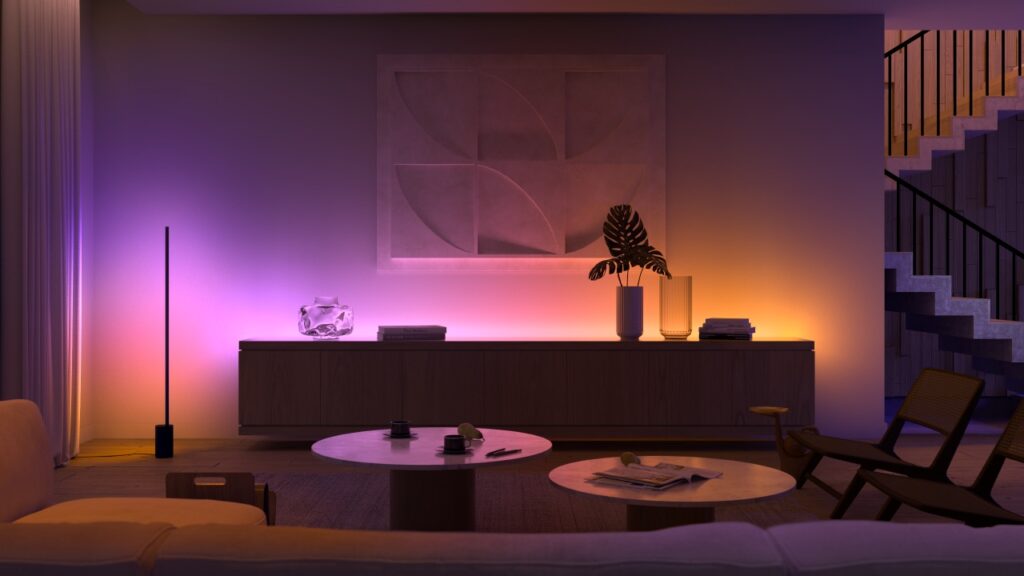
Automating Philips Hue is about setting specific rules for how and when lights operate. With the Hue app, you can create routines based on various triggers and customize brightness, color, and duration.
The main types of automations include:
Time-Based Routines
These are scheduled routines that trigger lights at certain times. For example, lights can gradually turn on at 7 AM on weekdays to mimic sunrise or dim automatically every evening at 10 PM.
Sensor-Based Automation
Hue Motion Sensors allow lights to activate when movement is detected. This is particularly useful in hallways, staircases, or bathrooms.
Location-Based Automation (Geofencing)
This automation uses your phone’s GPS to turn lights on when you arrive home and off when you leave. You can configure different behaviors for different users in the household.
Zone and Room-Based Automation
With the Hue Bridge, you can group lights into zones or rooms and create unique automations for each area, like setting your living room to cozy warm tones in the evening while keeping the kitchen bright.
Integration with Smart Assistants
Philips Hue works with Alexa, Google Assistant, Apple HomeKit, and more. You can integrate automations with voice assistants or third-party platforms like IFTTT for complex routines.
Benefits of Automating Philips Hue
Convenience and Comfort
Once automated, your lighting adapts to your needs. Whether it’s automatically lighting your way at night or creating a relaxing evening mood without lifting a finger, Hue simplifies your daily routine.
Energy Efficiency
Automation reduces energy waste by ensuring lights are only on when needed. This is particularly effective with motion sensors and geofencing, which shut off lights in unoccupied spaces or when you’re away from home.
Security Enhancements
Automated lighting helps simulate occupancy when you’re away. With randomized routines or scheduled lights in different rooms, you can deter potential intruders by making your home appear occupied.
Support for Wellbeing
Hue’s circadian lighting capabilities let you automate brightness and color temperatures to support your biological rhythms. This promotes better sleep, mood, and productivity.
Accessibility and Independence
For elderly individuals or those with mobility impairments, automation offers a safer and more independent lifestyle. Lights can respond to movement or voice without the need for switches.
Real-World Example Products and Use Cases

Hue Motion Sensor + White Ambiance Bulbs in Bathrooms
A common automation scenario involves installing a Hue Motion Sensor in a bathroom and pairing it with White Ambiance bulbs. During the night, the sensor triggers a dim warm light to prevent harsh brightness, while during the day it activates brighter lighting. This is ideal for families and enhances safety for elderly users.
This setup also reduces electricity use by ensuring lights only stay on for a pre-set duration when movement is detected.
Hue Bridge for Multi-Zone Routines in a Large Home
In larger homes, the Hue Bridge allows homeowners to automate lighting across multiple zones. For example, you can set the upstairs lights to gradually dim at 10 PM while keeping the kitchen illuminated until midnight. You can also create routines where outdoor lights activate at sunset while living room lights switch to a cozy color scene.
These scheduled automations ensure comfort without the need for constant adjustments.
Hue Outdoor Light Automation with Geofencing
Philips Hue Outdoor lights can be automated to turn on as you return home in the evening using geofencing. This not only adds convenience but also improves safety and visibility. You can configure lights to automatically switch off once you leave the area, contributing to energy efficiency.
Outdoor automation is particularly useful in homes with driveways, gardens, or paths that benefit from guided lighting.
Hue Sync with Entertainment Automation
Using the Hue Sync app, lights can be automated to respond to entertainment content like movies or music. Play Bars or Hue Lightstrips behind TVs can automatically adjust colors and intensity based on what’s on screen, creating an immersive experience.
This level of automation enhances relaxation and brings a new dynamic to home entertainment without requiring manual adjustment.
Time-Based Kitchen Lighting Automation
Automating kitchen lights with time-based routines ensures proper brightness levels for different activities. In the morning, lights turn on with a cool white tone to boost alertness during breakfast prep. In the evening, they shift to warm tones for a relaxing dinner ambiance.
This use case supports energy efficiency while improving the functional and aesthetic feel of the space.
Practical Use Cases for Philips Hue Automation

Night-Time Safety and Navigation
Motion-activated lighting provides immediate illumination during nighttime bathroom or hallway trips, reducing the risk of accidents. Automating these lights to activate only at night avoids unnecessary use during the day.
This application is especially helpful for children, elderly individuals, or anyone navigating the house in low light.
Energy Management in Multi-Room Homes
Rooms that are not frequently used, like basements or guest rooms, can benefit from automation through motion sensors or strict schedules. This avoids lights being left on and helps lower electricity bills over time.
This approach is essential in large households with variable lighting needs.
Routines for Shift Workers
For individuals with non-traditional sleep schedules, Philips Hue can be automated to create custom lighting that aligns with their rhythm. Wake-up routines simulate natural sunrise at any hour, and sleep routines provide gentle dimming to prepare the body for rest.
This kind of personalization is key to improving the well-being of shift workers.
Travel and Security Automation
When traveling, you can automate Hue lights to turn on and off at random intervals to simulate someone being at home. This significantly reduces the chances of break-ins and can be controlled remotely through the Hue app.
Such automation adds an extra layer of security without the need for additional hardware.
Frequently Asked Questions
1. Can I automate Philips Hue without using the Hue Bridge?
Yes, but with limitations. The Hue Bluetooth app offers basic automation like Wake Up and Sleep routines. However, for advanced automations such as geofencing, multi-room control, and integration with third-party platforms, the Hue Bridge is required.
2. How does geofencing work in Philips Hue automation?
Geofencing uses your smartphone’s location to detect when you’re arriving or leaving your home. When combined with automation, your Hue lights can turn on when you approach and switch off when you leave. This feature enhances both convenience and energy efficiency.
3. What’s the difference between a routine and a scene in Hue?
A routine is a set of actions triggered by specific conditions like time, motion, or location. A scene refers to a predefined configuration of light colors and brightness levels. You can include scenes within routines to create personalized lighting environments for different times of day or activities.
Conclusion
Automating Philips Hue lights offers far more than convenience; it’s a comprehensive solution for enhancing lifestyle, energy efficiency, safety, and even health. With a range of automation triggers and integrations, Philips Hue adapts to your habits and daily needs, providing smart lighting where and when you need it.